How to make a coloring book for Amazon KDP with AI
Turn one theme into a full coloring book of clean line-art pages for Amazon KDP: choosing a theme, kids or adults, page counts, prices and getting ready to upload.
Kixy4 min read
Coloring books are one of the simplest things to publish on Amazon KDP: no plot, no layout puzzles, just good pages. The slow part has always been drawing them. Kixy draws the whole book from a single theme, each page a different subject, in black-and-white line art ready to print.
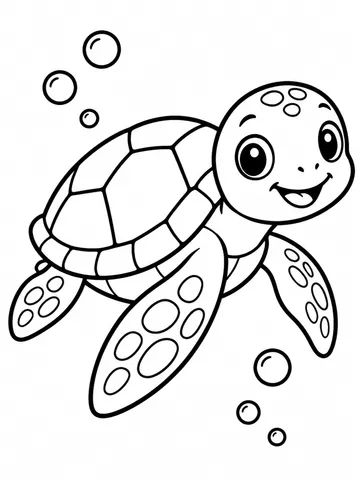
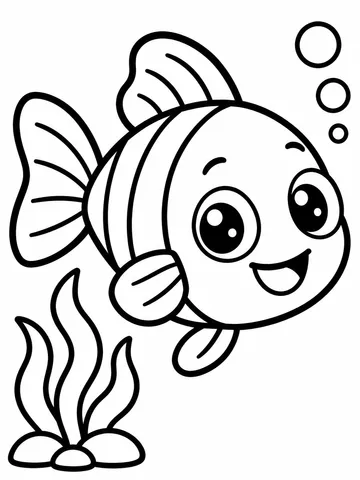
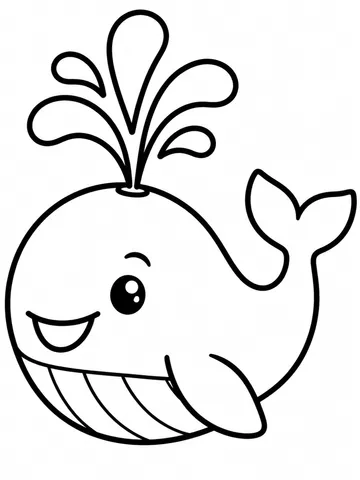
These three pages come from a 10-page test book on the theme "ocean animals for toddlers".
How it works
You give Kixy three things:
- A theme, in a few words or a sentence (up to 300 characters).
- An audience: kids or adults. Kids' pages get bold, simple outlines; adults' pages get finer detail.
- A page count: 10, 20, 30 or 50.
Kixy then plans the book. It writes a title and a list of page subjects, one per page, all on your theme and no two the same. Then it draws each page as pure black outlines on white: no shading, no grey, no text, filling a portrait page with a small margin.
When the book is done you download every page in one zip.
Step 1: Pick a theme that sells
The best KDP themes are specific enough to stand out and broad enough to fill the pages.
- Too broad: "animals"
- Too narrow: "a hedgehog"
- About right: "woodland animals in cosy autumn scenes", "ocean animals for toddlers", "mandala-style garden flowers"
Search Amazon for your idea first and look at what is already there. A theme with a clear audience ("for toddlers", "for adults who love cats") is easier to describe in your listing.
Themes follow Kixy's content rules: no real people, no trademarked characters or brands, nothing sexual or violent. A book about a famous cartoon mouse will be refused; a book about your own cast of mice will not.
Step 2: Make the book
The quickest way is to ask the Wizard:
Prompt
Make a 20-page coloring book for Amazon KDP about woodland animals in cosy autumn scenes, for kids
Open in WizardThe Wizard confirms the theme, audience and price, and starts the book when you agree. You can also make books from Claude or ChatGPT once Kixy is connected.
What it costs
A book is priced by its page count, shown before you start:
| Pages | Credits |
|---|---|
| 10 | 35 |
| 20 | 65 |
| 30 | 95 |
| 50 | 155 |
Key takeaway
Start with a 10-page book to test a theme. If the pages look right, make the full 30 or 50-page version of the same theme.
Step 3: Check every page
Open each page before you publish. Look for:
- lines that are too thin to color inside, or areas too tiny for the audience
- anything that looks odd up close (an extra paw, a broken outline)
- pages that feel too similar to each other
Remake a book with a sharper theme if several pages miss.
Step 4: Prepare it for KDP
Kixy gives you the page images; KDP wants a print-ready PDF interior. Before you upload:
- Choose your trim size in KDP (8.5 x 11 inches is common for coloring books).
- Place one page per sheet in a layout tool, at that trim size and KDP's margins.
- Many publishers leave the back of each page blank so markers do not bleed through.
- Add a title page and, if you like, a "this book belongs to" page.
- Export the PDF and upload it with your cover.
KDP asks whether your book contains AI-generated content. Answer honestly: these pages are AI-generated.
Publish your first book this week
Test a theme with 10 pages, check every page, then make the full book and lay it out for KDP. You can publish what you make, subject to Kixy's terms and Amazon's own KDP rules. To steer what goes on each page, list the subjects in the theme itself, for example "farm animals: a cow, a pig, a sheep, a tractor and a barn".
Turn your theme into a coloring book with the Wizard.